
Most product reviews are written after a few days or a few weeks of use. This one isn't. I've been cooking with the FireBoard 2 Drive for more than five years on everything from overnight briskets and pork shoulders to ribs, turkey, and chicken. Here's what I've learned - the good, the bad, and the mistakes I made so you don't have to.
FireBoard 2 Drive Review: The BBQ Controller I Still Use After 5 Years
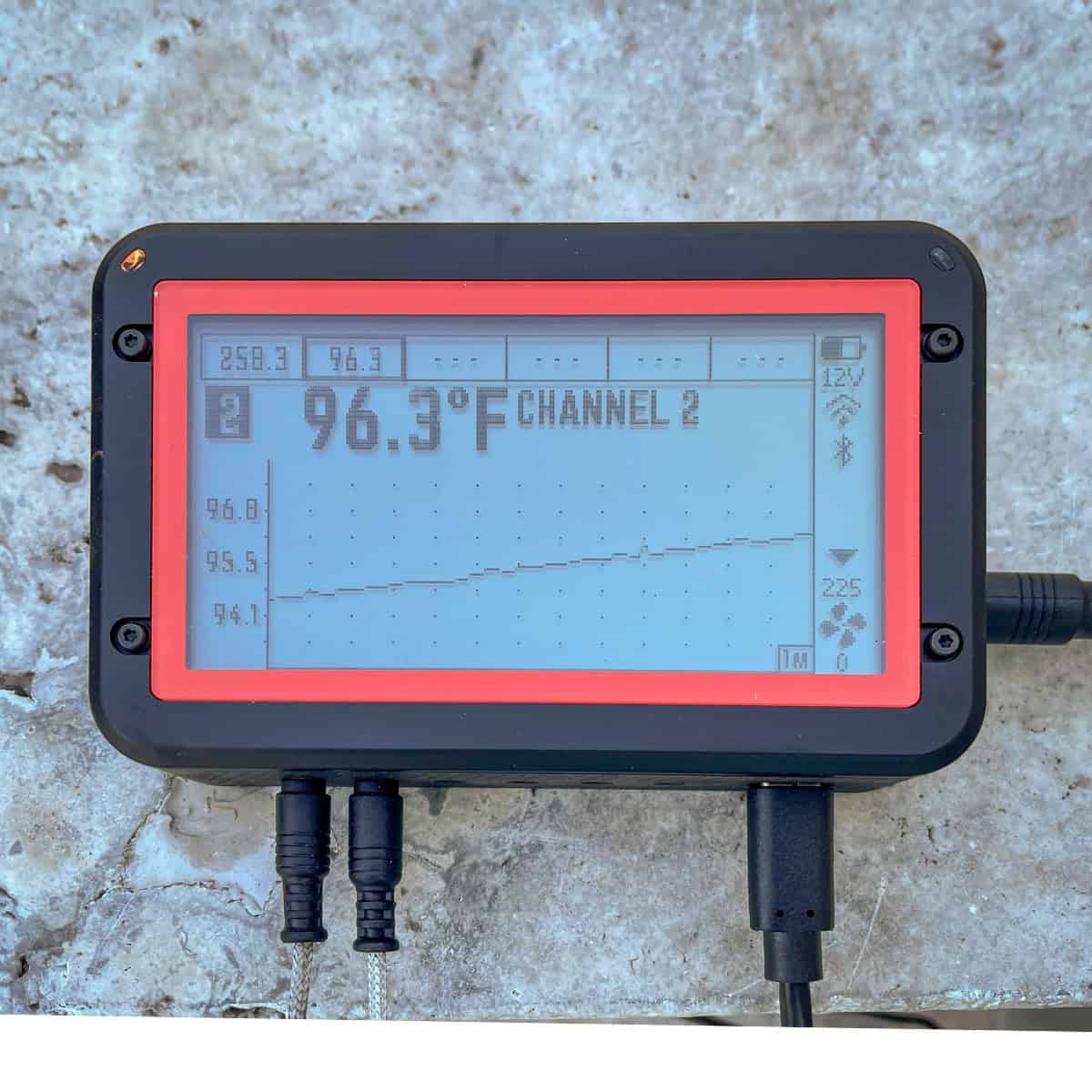
Summary
The FireBoard 2 Drive is the best BBQ temperature controller I've ever owned. It's is incredibly accurate, the app is excellent, the hardware has proven exceptionally reliable, and it has made overnight barbecue almost stress-free.
What I Liked
- Accurate temperature control
- Variable-speed fan maintains steady temperatures
- Excellent Wi-Fi and Bluetooth connectivity
- Intuitive apps
- Six probe channels
- Weather-resistant construction
- Very good battery life
- Built-in Drive port eliminates extra cables
- Easy-to-read display
- Proven reliability over years of use
What Could be Better
- Pricy once you add the fan and mounting adapter
- No built-in speaker for audible alarms
- Replacement probes are eventually needed, as with every BBQ controller
Quick Verdict
The FireBoard 2 Drive is the best BBQ temperature controller I've ever owned. It's is incredibly accurate, the app is excellent, the hardware has proven exceptionally reliable, and it has made overnight barbecue almost stress-free. While it isn't the least expensive controller on the market, it's one of those rare products that simply works every time I use it.
If you're serious about cooking low-and-slow barbecue on a Kamado Joe, Big Green Egg, Weber Smokey Mountain, or similar charcoal smoker, I believe the FireBoard 2 Drive is worth every penny. Would I buy it again today? Absolutely.
Jump to:
- Quick Verdict
- Why You Should Trust This Review
- What Is the FireBoard 2 Drive?
- Who Should Buy the FireBoard 2 Drive?
- FireBoard Models: Why I Chose the Drive
- FireBoard 2 Drive Features
- Battery Life and Power
- Performance During Real Cooks
- The Biggest Mistake FireBoard Owners Make
- Setting the Vents
- Reliability After Five Years
- The Weak Links
- Things I Wish FireBoard Would Improve
- How It Compares
- Is the FireBoard 2 Drive Worth the Money?
- My Top Tips After Five Years of Cooking with the FireBoard 2 Drive
- Should You Buy the FireBoard 2 Drive?
- Frequently Asked Questions
- Top Tip
- Final Verdict
- Where to Buy
- More Kamado Joe Resources
Why You Should Trust This Review
One thing that frustrates me about many online reviews is that they're written after someone uses a product for a few days. That tells you almost nothing. The real test comes six months, or in this case, five years later.
I've owned multiple BBQ temperature controllers over the years. Some couldn't hold a steady temperature. Others had unreliable probes that frequently failed during a cook. One had a fan that was either running at full speed or completely off, causing temperature swings of twenty degrees or more. One by one they all ended up sitting in a bucket in my garage. The FireBoard didn't.
I purchased the original FireBoard several years ago after looking for something more reliable for my Kamado Joe. It performed so well that I eventually upgraded to the FireBoared 2 Drive, primarily because I wanted the larger display and the built-in fan controller. Since then, it has become one of the few barbecue tools I don't cook without.
More importantly, I've also made every mistake you can make with it. I've burned up probes. I've damaged a power supply. I've forgotten to configure alarms and ruined a cook. I've accidentally closed the fan gate and wondered why the temperature kept falling. Every one of those mistakes taught me something, and I'll share those lessons throughout this review.
What Is the FireBoard 2 Drive?
The FireBoard 2 Drive is an automatic BBQ temperature controller designed to monitor and regulate the temperature inside your smoker. Think of it as cruise control for barbecue.
Instead of constantly adjusting vents throughout a long cook, the FireBoard monitors your pit temperature using a small ambient probe. If the temperature begins to fall below your target, it automatically powers a variable-speed fan mounted to the bottom draft door of your smoker. As the fire receives more oxygen, the temperature rises. Once the desired cooking temperature is reached, the fan slows down or stops. The process repeats automatically throughout the cook, resulting in remarkably stable temperatures with very little effort on your part.
The FireBoard 2 Drive also monitors your food using up to five additional meat probes while sending real-time updates to your phone over Wi-Fi or Bluetooth. For anyone who regularly cooks briskets, pork shoulders, or overnight barbecue, this removes one of the most stressful parts of low-and-slow cooking.
Who Should Buy the FireBoard 2 Drive?
After using this controller for years, I don't think it's for everyone. If you only grill burgers and steaks on Saturday afternoons, you'll probably never need it. Where the FireBoard 2 Drive really shines is for low-and-slow barbecue.
I'd recommend it for anyone who regularly cooks brisket, pork shoulder, beef ribs, baby back ribs, spare ribs, turkey, whole chickens, prime rib, tri-tip, or anything involving an overnight cook. If you've ever found yourself checking your smoker every thirty minutes because you're worried the temperature has drifted, the FireBoard completely changes that experience. Instead of babysitting your smoker, you can spend time with your family, watch the game, or actually get some sleep during an overnight brisket.
FireBoard Models: Why I Chose the Drive
FireBoard currently offers three models. The FireBoard 2 is the base model that supports six probes but requires a separate drive cable and a second power supply to operate the fan. The FireBoard 2 Drive also supports six probes and adds a dedicated drive port capable of powering the fan directly from the controller. There is no additional cable or power supply needed. The FireBoard 2 Pro includes three Type-K thermocouple inputs designed for higher-temperature cooking and the same built-in fan port.
I intentionally chose the Fireboard 2 Drive version. The original FireBoard required an additional cable and separate power connection to operate the fan. It worked, but it added unnecessary clutter around the grill. The FireBoard 2 Drive solved that problem in one step. There are fewer cables, simpler setup, and less to go wrong during a twelve-hour brisket cook.
I also considered the Pro. While its Type-K thermocouple inputs make sense for very high-temperature cooking, they weren't important for the way I cook. Nearly everything I make is low-and-slow barbecue, and the standard probes supplied with the FireBoard 2 Drive have proven more than adequate. For me, the Drive model hits the sweet spot between features, simplicity, and price.
FireBoard 2 Drive Features
One of the reasons I've stayed with the FireBoard for so many years is that it strikes an excellent balance between features and simplicity. Some BBQ controllers bury you in menus and settings you'll never use. Others are so basic that you quickly outgrow them. The FireBoard 2 Drive falls somewhere in the middle. It includes plenty of advanced features if you want them, but the everyday operation is surprisingly straightforward.
The Controller
Keep the controller away from direct heat. Set the FireBoard on a table or other flat surface near the grill, but don't place it directly on the grill or against the ceramic body. The controller is weather resistant, but it isn't designed to withstand the kind of heat coming off a hot Kamado Joe.
One of the first things you'll notice is the bright display. This might not seem like a big deal until you've used another controller with a tiny screen. The FireBoard's display is easy to read in bright daylight, and the side-mounted buttons make navigating the menus surprisingly intuitive. Although I do almost all of my programming through the smartphone app, it's nice to have a display that's actually usable if my phone isn't nearby.
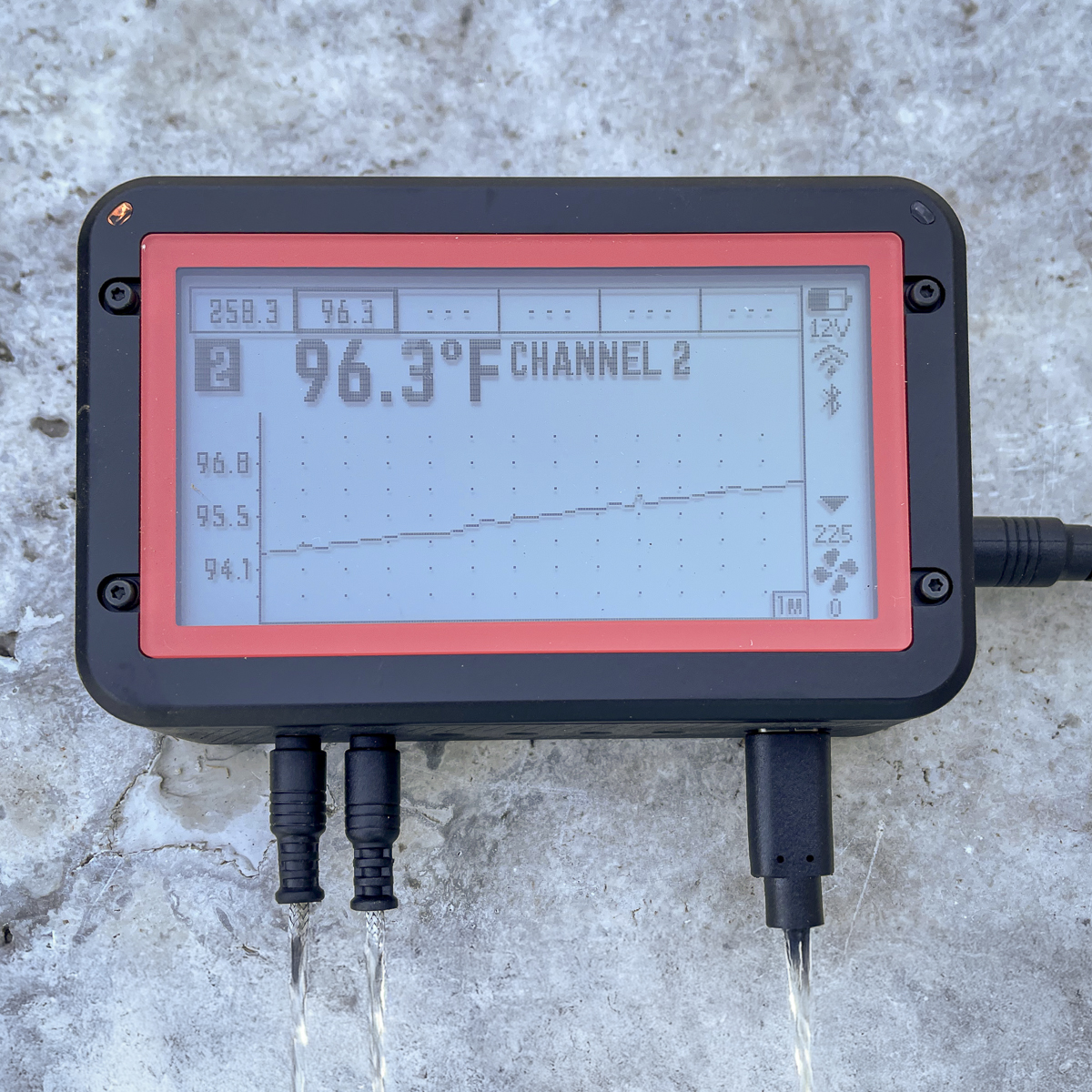
The controller is also weather resistant. That's an important feature because barbecue doesn't always happen on sunny afternoons. I've used mine during light rain without any issues. That said, weather resistant doesn't mean waterproof. Living in Central Texas, I've seen thunderstorms dump several inches of rain in a matter of minutes. When the weather looks questionable, I simply place a plastic bowl upside down over the controller for a little extra protection. Overall, the hardware feels extremely well built. After years of regular use, mine still looks and functions like new.
The Variable-Speed Fan
In my opinion, this is where the FireBoard separates itself from many competing temperature controllers. The included Drive Blower is a variable-speed fan, and that makes a tremendous difference in temperature control.
When your smoker begins cooling down, the FireBoard doesn't simply turn the fan on at full power. Instead, it gradually adjusts the fan speed based on how much airflow is needed. Think of it like driving a car - if you're trying to maintain 65 mph on the highway, you don't slam the accelerator to the floor every few seconds. You make small adjustments. The FireBoard works the same way. As the pit temperature approaches your target, the fan slows down rather than blasting your charcoal with a constant stream of air.
One of my previous controllers used a fan that was either 100% on or completely off. That controller constantly overshot the target temperature, cooled down too much, then repeated the cycle all day long. Twenty-degree temperature swings were common. The FireBoard doesn't behave that way. During most of my cooks, it stays remarkably close to my target temperature for hours at a time, and that consistency is one of the biggest reasons I trust it with overnight briskets.
Temperature Probes
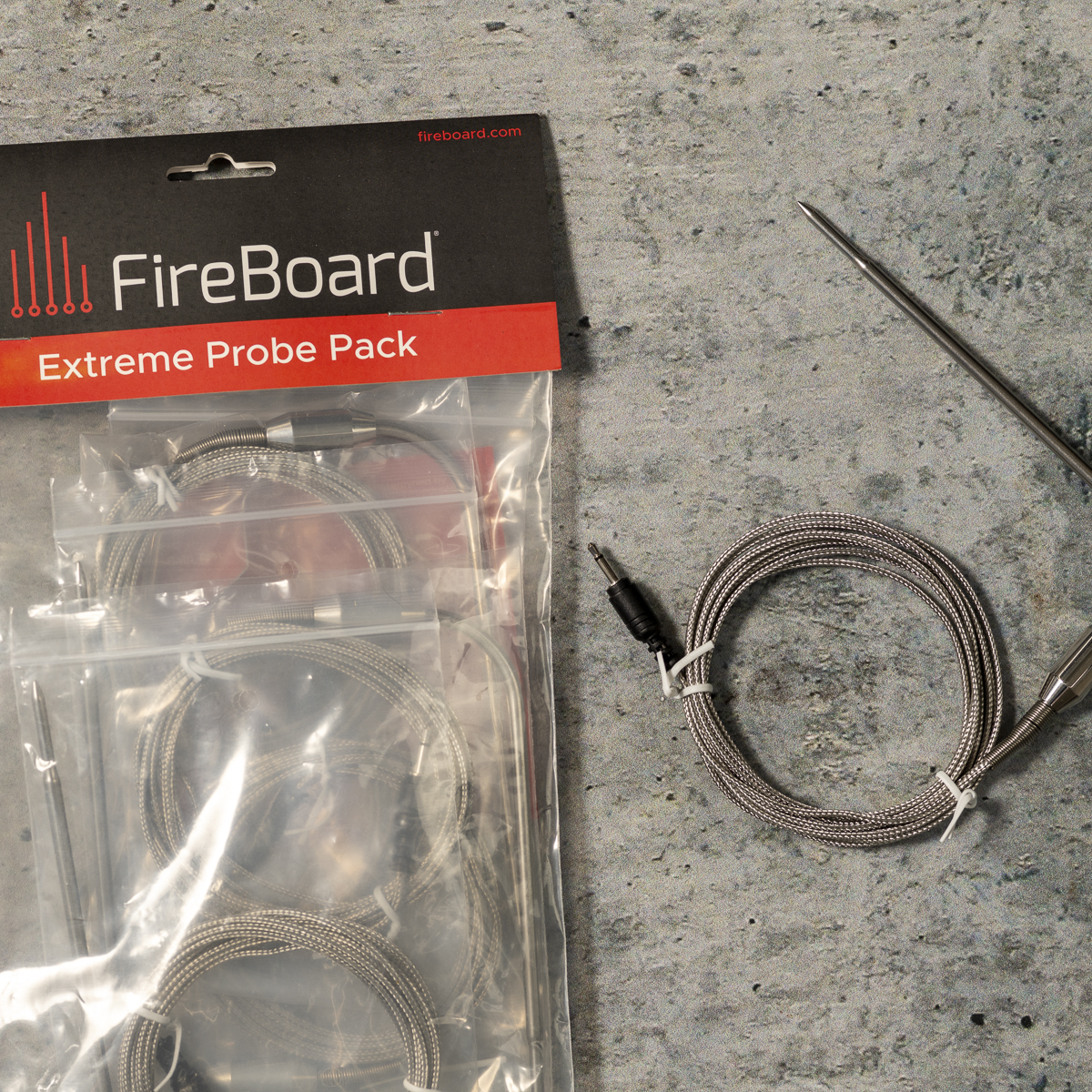
The FireBoard 2 Drive supports six probe channels - more than enough for the way I cook. I typically dedicate Channel 1 to the ambient pit temperature and use Channels 2 through 6 for food probes whenever needed. The probes use a positive-locking 2.5 mm connector that clicks securely into the controller and stays put. I've never had one accidentally disconnect during a cook.
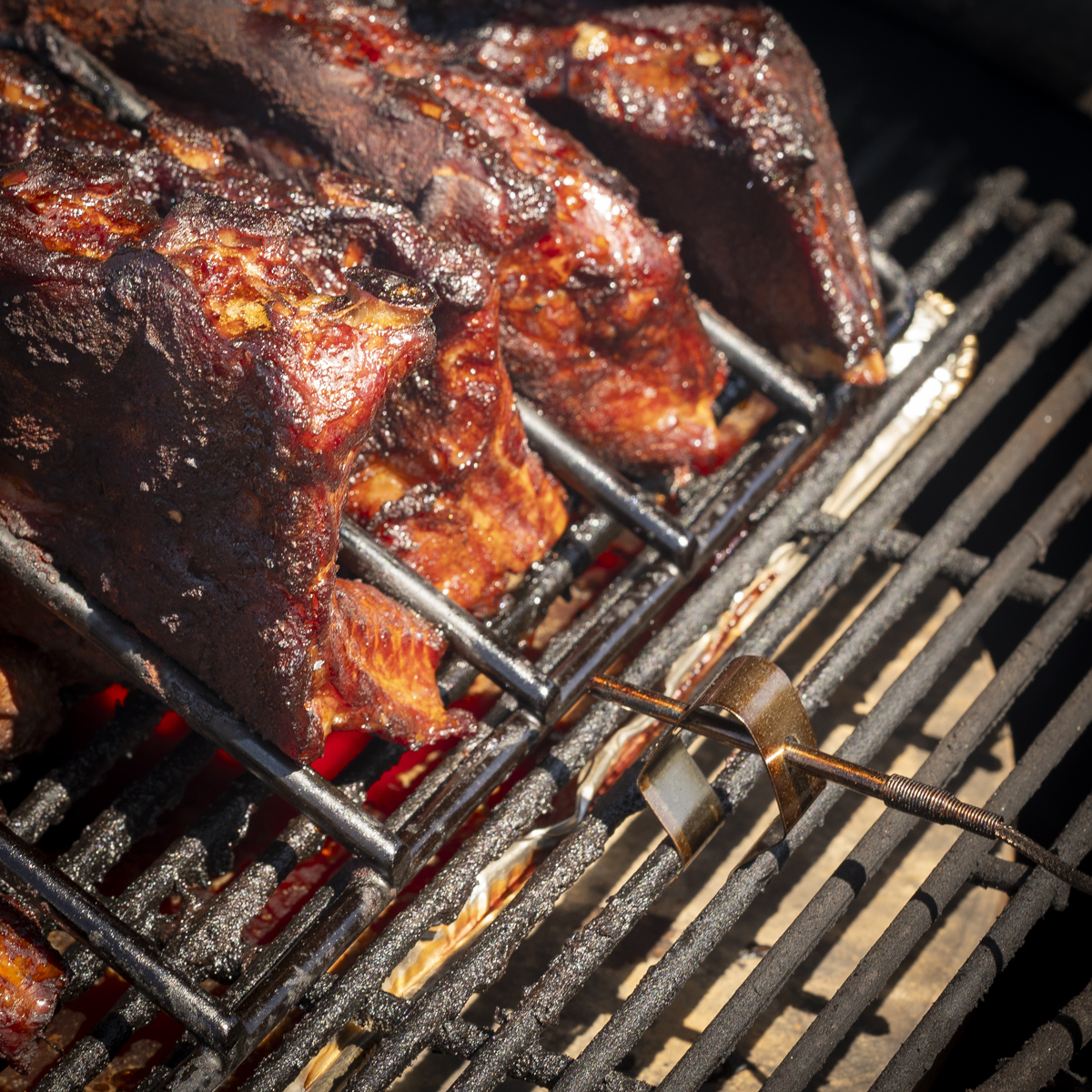
The ambient pit probe attaches to the cooking grate using a simple spring clip. It's a small accessory, but it's surprisingly easy to lose. One afternoon I was setting up my Kamado Joe when I dropped the clip. It bounced off my patio, took one perfect hop, and disappeared into the swimming pool. Buy a couple of extra grate clips when you order your FireBoard. They're inexpensive and you'll be glad you did.
Two important notes on probe use: First, when cooking baby back ribs, I only use the ambient temperature probe. The meat on baby back ribs is too thin to insert a meat probe properly, and if the probe ends up next to the bone, it will skew your temperature reading. Ribs cook well by time and can be tested for doneness by feel. Second, when cooking a larger cut such as a pork shoulder, brisket, or roast, always place the meat probe in the deepest part of the meat, away from the bone.
I've found the FireBoard probes to be consistently accurate and, more importantly, they've remained accurate over years of use, something I couldn't say about several other controllers I've owned. Like every BBQ temperature probe on the market, however, they have limits. FireBoard's standard probes are designed for low-and-slow cooking, not direct flame grilling. If a flare-up engulfs one of the probes, it's finished. I learned this the hard way when I removed a pork shoulder after a cook, left the Kamado Joe lid open while carrying everything inside, and the increased airflow caused a flare-up that destroyed the ambient pit probe. That wasn't a FireBoard problem. That was 100 percent operator error. Keep spare pit probes and meat probes on hand.
The FireBoard App
If the variable-speed fan is the heart of the system, the FireBoard app is its brain. It's one of the best-designed barbecue apps I've ever used. Setup is straightforward and you can connect using Bluetooth or Wi-Fi. I use Wi-Fi because it allows me to monitor my cooks from anywhere in the house. Whether I'm watching football, working in my office, or getting some sleep during an overnight brisket, I can check temperatures with a quick glance at my phone.
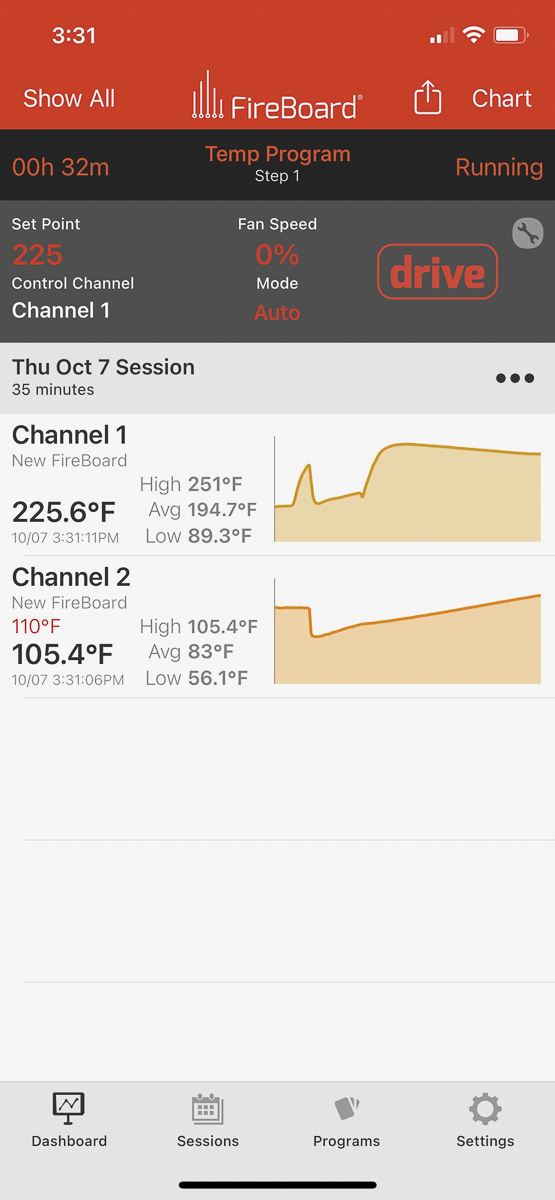
The interface is clean and intuitive. Within seconds you can see current pit temperature, food temperatures, historical temperature graphs, fan output percentage, battery status, active cook programs, and alarm settings. Everything is presented in a way that makes sense. Even someone new to temperature controllers should feel comfortable navigating the app after a few minutes.
Programming Your Cook
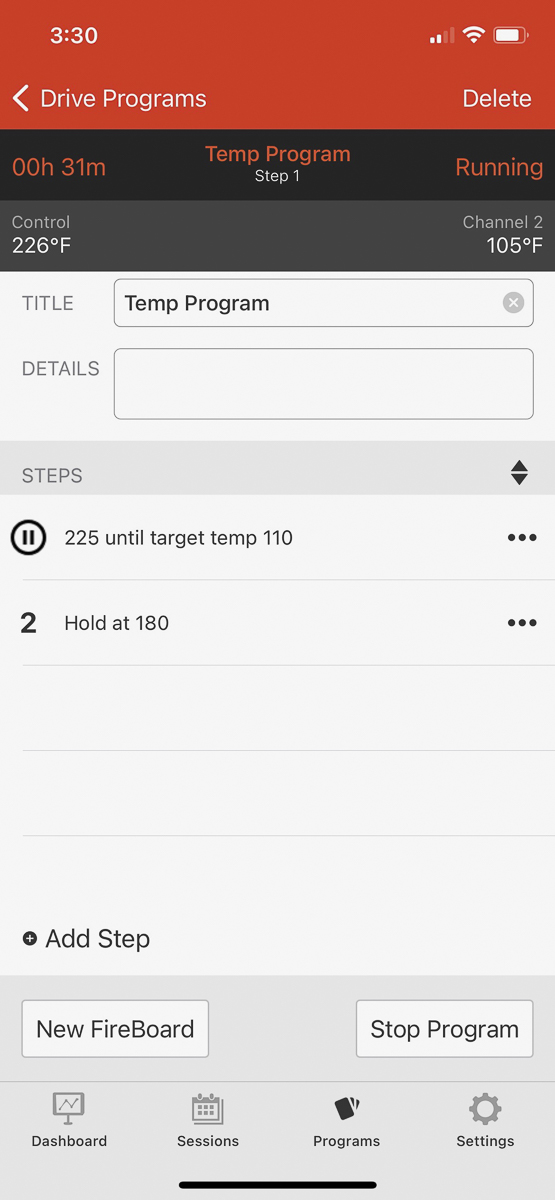
One feature I use constantly is cook programming. Instead of simply maintaining one temperature for the entire cook, the FireBoard lets you create multi-step programs.
Here is how a typical pork shoulder cook looks: I begin by setting the pit temperature to 225°F. The FireBoard maintains that temperature while monitoring the internal temperature of the pork shoulder. Once the meat reaches 165°F, I remove it from the smoker, wrap it in pink butcher paper, and return it to the grill. At that point, I update the cooking program to increase the pit temperature to 250°F. Finally, when the pork reaches about 195°F, I have the FireBoard notify me and reduce the pit temperature to 180°F so the meat can rest safely until I'm ready to pull it.
The FireBoard 2 Drive is capable of much more complicated programs, but that's not how I cook. I keep it simple and it has never let me down.
Battery Life and Power
The controller's internal rechargeable battery is surprisingly capable and can operate for many hours without external power. That said, I almost never rely on the battery alone. Whenever I'm using the Drive Blower, I plug the FireBoard into an extension cord. Driving the fan requires considerably more power than simply monitoring temperatures, and I don't want to spend sixteen hours cooking a brisket wondering whether the battery will hold out until breakfast. With external power connected, that's one less thing to think about.
Performance During Real Cooks
Features and specifications are nice. What really matters is whether the FireBoard performs when you've invested a hundred dollars in a brisket and twelve hours of your weekend.
Once my Kamado Joe is stabilized, the FireBoard quietly maintains the cooking temperature with very little intervention from me. I don't spend my day adjusting vents or worrying about temperature spikes. I don't find myself running outside every thirty minutes to see what's happening. Instead, I glance at my phone every now and then and get on with my day. The best tools disappear into the background, and the FireBoard does exactly that. It quietly does its job while allowing me to focus on spending time with family and making the rest of the meal.
The Biggest Mistake FireBoard Owners Make
After using the FireBoard for more than five years, I've discovered that the biggest problem isn't the controller, it's the person using it. I know this from experience.
Not long ago I decided to cook three racks of baby back ribs using my favorite 3-2-1 method. Everything started perfectly. The FireBoard held my Kamado Joe at 250°F like it always does. Three hours into the cook, I wrapped the ribs with a little apple juice and butter, put them back on the smoker, closed the lid, and walked away. Then life happened. My grandkids came over, we started talking, and barbecue slipped to the back of my mind.
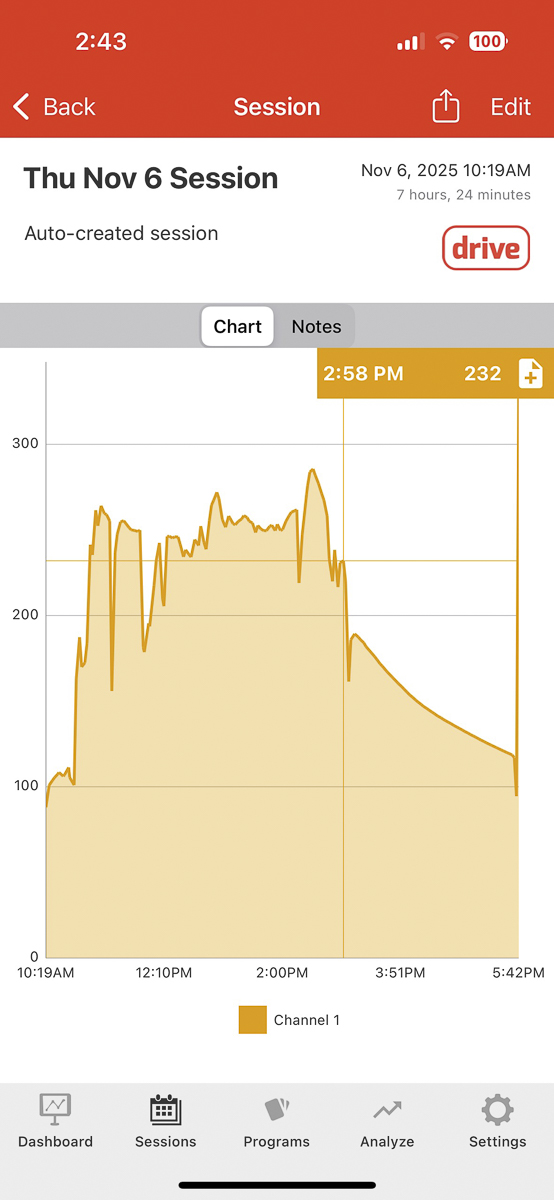
About thirty minutes later, the fire inside my Kamado Joe slowly died. The pit temperature drifted downward until it eventually settled around 150°F. I had absolutely no idea. Two hours later I walked outside expecting perfectly tender ribs and found lukewarm, undercooked ribs that had been sitting in the danger zone for far too long. Dinner was ruined. We ordered pizza.
At first I blamed the FireBoard. Then I looked at the temperature graph. The FireBoard had been doing exactly what it was supposed to do. It saw the temperature dropping and kept increasing the fan speed trying to save the fire. The problem wasn't the controller. The problem was me. I had never configured temperature alerts. The FireBoard knew something was wrong. It just had no way to tell me.
That experience completely changed the way I use the FireBoard.
Watch my video where I show exactly how to do this.
Set Temperature Alerts Before Every Cook
If you take only one piece of advice from this review, let it be this: always configure pit temperature alerts before you start cooking. I honestly believe this is the number one mistake FireBoard owners make. Many people assume they'll notice if something goes wrong. You won't. Life gets busy, kids need attention, friends stop by, the football game starts. You get distracted. Meanwhile, your smoker doesn't care.
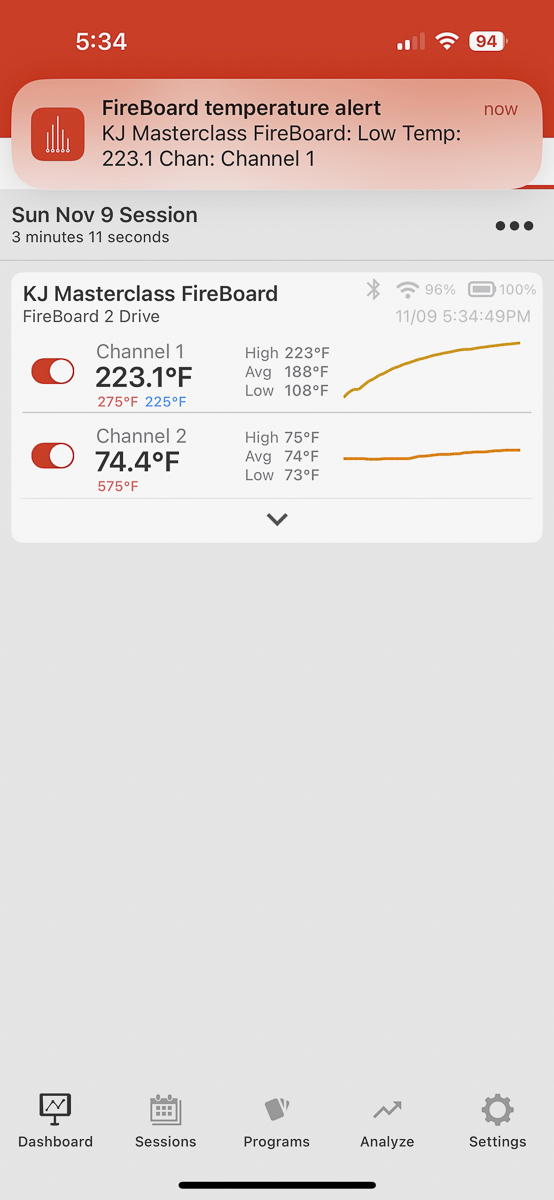
Today I set both high and low temperature alarms before every single cook. For a typical cook at 250°F, my settings look like this:
| Alert | Setting |
| Low Pit Temperature | 225°F |
| High Pit Temperature | 275°F |
That 25-degree cushion means I usually know about a problem within five or ten minutes, more than enough time to save the cook instead of discovering a dead fire two hours later.
Setting the alerts takes less than a minute. Open the FireBoard app, go to your active cook session, and tap on Channel 1, which is your pit probe. Look for the alert settings in the channel menu. Set your low temperature alert 25 degrees below your target and your high alert 25 degrees above. For a 250°F cook, that's a low alert at 225°F and a high alert at 275°F.
Don't Forget Your Phone Notification Settings
Setting alarms inside the FireBoard app isn't enough. Your phone also has to allow those notifications. One afternoon I realized my FireBoard wasn't making any sound when an alarm triggered. The problem wasn't the controller. My iPhone had disabled notifications for the app. Since then, I always verify that FireBoard notifications are enabled before an overnight cook. Go to your phone settings, find the FireBoard app, and confirm that notifications are turned on. It's a thirty-second check that can save a very expensive brisket.
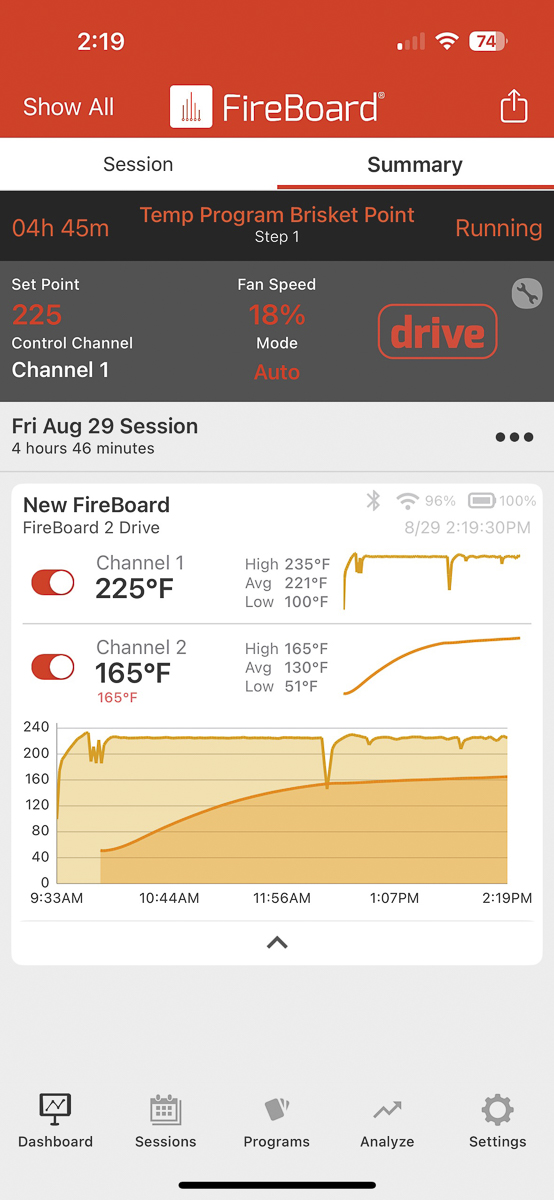
Notice that channel 2 has an alarm set for 165°F (in red).
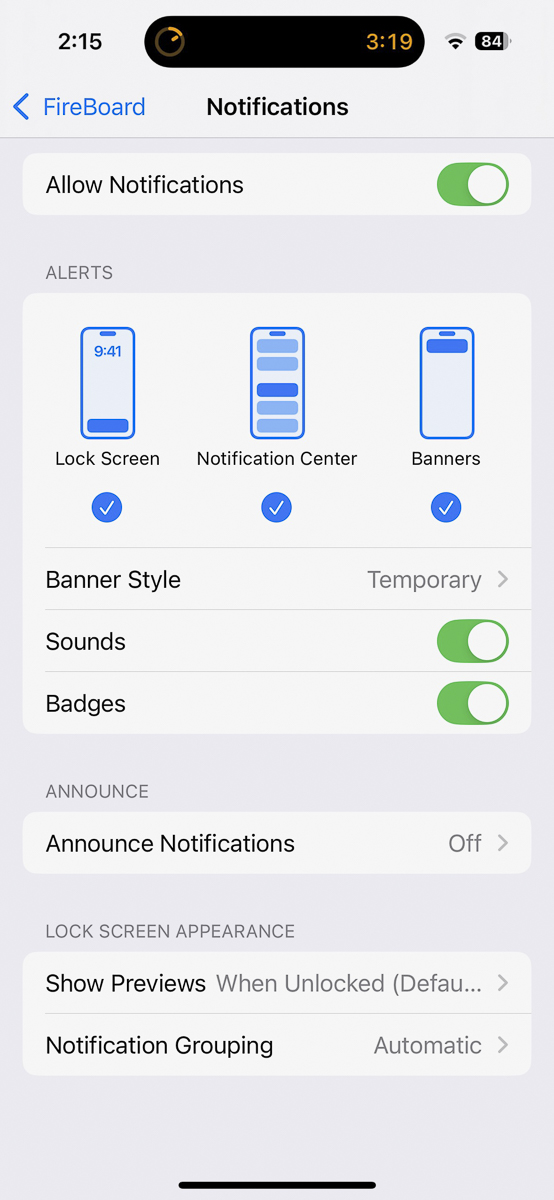
Test Your Alerts Before Long Cooks
Before I start an overnight cook, I intentionally trigger a temperature alarm to verify it works. Open your Kamado Joe and pull out the ambient temperature probe, then let the temperature reading drop far enough to confirm your phone receives the notification. If the alert comes through, you're ready to cook. If it doesn't, troubleshoot the problem before there's a hundred dollars worth of brisket sitting on the smoker. After ordering pizza because of one missed notification, I can assure you those two extra minutes are worth it.
Setting the Vents
When using a temperature controller, properly configuring your air vents before you begin is just as important as the device itself. Start by closing the top vent almost completely. The FireBoard fan is more than capable of pushing adequate airflow even with the top vent nearly shut. If you leave the top vent open, you're allowing uncontrolled airflow to bypass the controller. The FireBoard can add air by running the fan, but it cannot reduce airflow when the top vent is open and the fire is running hot. Set your temperature alarms, close the top vent, and let the controller manage the fire.
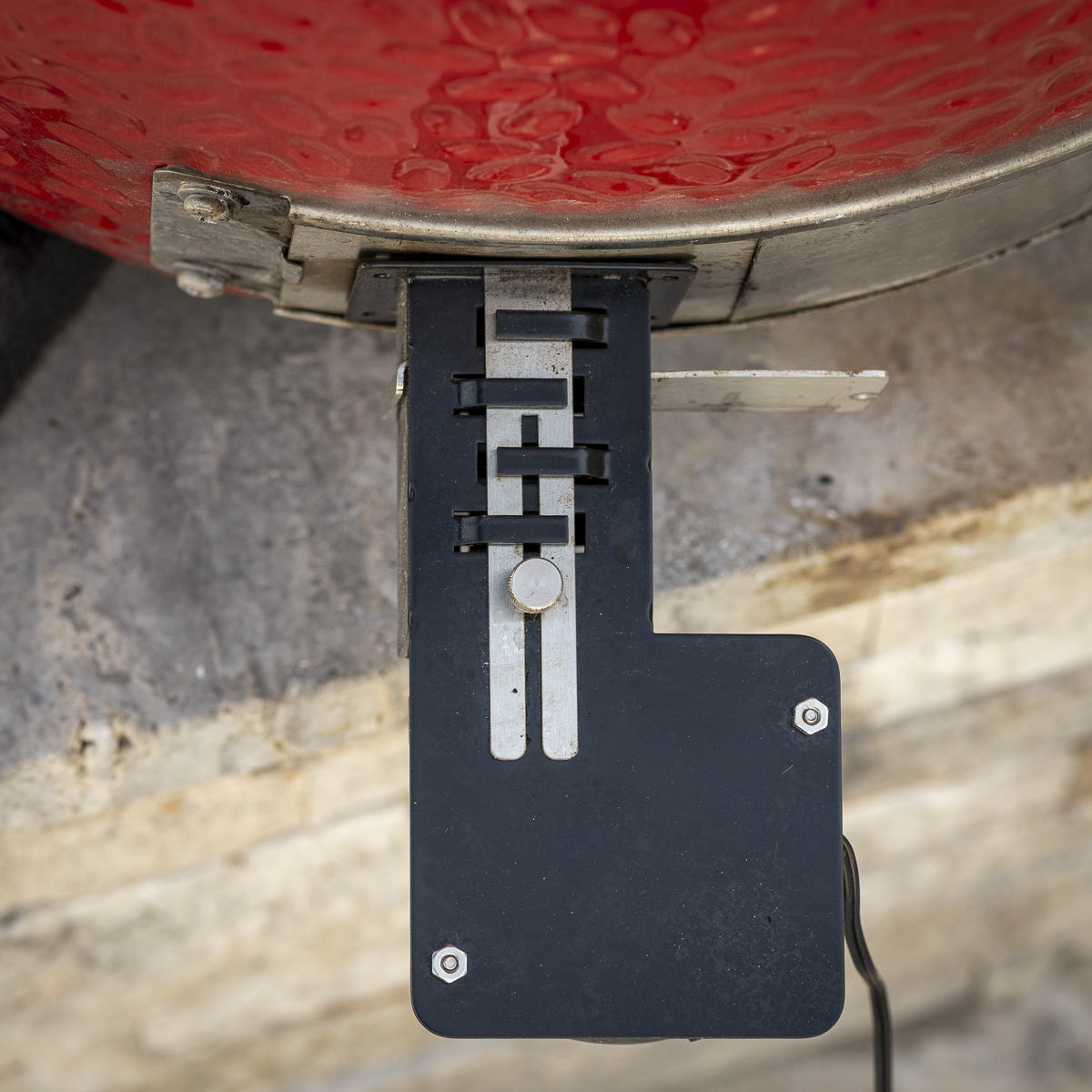
The same principle applies to the fan gate on the bottom air intake. The FireBoard fan has a small adjustable sliding gate that controls how much air enters the smoker. More than once, I have made the mistake of leaving it closed after cleaning my grill. The fan sounds like it's working perfectly, but the temperature keeps dropping because no air is getting into the grill. Checking the fan gate is now the first thing I do whenever I set up the controller. I like to start with the gate fully open and only close it down partially if I'm cooking in hot weather and the temperature is creeping above my target.
Reliability After Five Years
If I had written this review after owning the FireBoard for one month, I probably would have spent most of my time talking about the features.
Five years later, the conversation changes. Reliability is everything. When you're halfway through an overnight brisket, you don't care how many menu options the controller has. You care whether it's still working at three o'clock in the morning. Mine always has.
I've never had the controller fail. I have had probes wear out and I have broken a power supply. But the FireBoard itself has continued working without issue every single time. That kind of long-term reliability is surprisingly rare in consumer electronics.
The Weak Links
Every temperature controller has weak points. Fortunately, neither of them is the controller itself.
Probes
Every wired BBQ probe eventually fails, not because they're poorly made, but because we expose them to incredible heat, grease, smoke, moisture, and occasional direct flame. Most probe failures come down to user error. Leave the lid open too long, allow flames to reach the probe, or accidentally route the cable across a hot surface, and the probe is done. That's why I always recommend ordering extra pit probes and food probes when you buy your FireBoard. You'll need them eventually. It's much better to have them sitting in a drawer than scrambling for replacements the night before a family gathering.
The Power Supply
The second weak link isn't unique to FireBoard - it's the power supply. Mine sits on the patio connected to an extension cord whenever I'm cooking. One day I stepped on it hard enough to damage one of the wires and had to improvise a repair with popsicle sticks just to finish the cook. Today I keep a spare power supply in my barbecue drawer. It's inexpensive insurance.
Things I Wish FireBoard Would Improve
No product is perfect. Even though I love my FireBoard, there are two things I'd like to see changed.
First would be the addition of a speaker. The FireBoard relies entirely on your phone for alerts. That's usually fine unless your phone is in another room, your notifications are silenced, or your battery is dead. A small speaker capable of producing an audible alarm would make an already excellent controller even better. That's the one change I keep hoping FireBoard makes in a future version.
The second is bundling the Fireboard 2 Drive with the accessories that you will need anyways. When people see the advertised price of the FireBoard, they sometimes assume they're ready to cook. Not quite. Depending on your smoker, you'll also need the Drive Blower, a mounting adapter, extra probes, and extra grate clips. None of these purchases bother me, they're quality accessories, but it's worth knowing that the total investment is typically a little higher than the controller's price tag alone.
There is a FireBoard 2 Drive Bundle available that include the blower fan and a few competition probes, but still lacks spare parts like an extra clip and more regular ambient and meat probes.
How It Compares
FireBoard 2 Drive vs. ThermoWorks Signals
ThermoWorks has built a fantastic reputation for accurate thermometers, and the Signals is no exception. If your primary goal is monitoring temperatures, it's an outstanding choice. I own it, along with the billows fan. But for automatic temperature control, I give the edge to the FireBoard. I prefer its app, I like the larger display, I appreciate the integrated Drive port, and most importantly, I've built years of confidence in it during overnight cooks. If I were spending my own money today, I'd still choose the FireBoard 2 Drive.
FireBoard 2 Drive vs. Flame Boss
The Flame Boss is another excellent temperature controller with a loyal following and very good temperature control, many barbecue competitors swear by it. For me, the FireBoard's screen and app feels more polished and intuitive. The graphs are easier to read, programming cooks is simpler, and I personally prefer the FireBoard hardware. Either controller will produce excellent barbecue. I simply enjoy using the FireBoard 2 Drive more.
FireBoard 2 Drive vs. BBQ Guru
Years ago, BBQ Guru helped define this entire product category and deserves a lot of credit for bringing automatic temperature control to backyard pitmasters. In fact, the DigiQ was the first controller I owned. But technology has evolved. Compared to modern controllers like the FireBoard, the user experience feels dated. The FireBoard's display, app, wireless connectivity, programming, and overall ease of use are significant improvements. If I were buying today, I wouldn't hesitate to choose the FireBoard 2 Drive.
Is the FireBoard 2 Drive Worth the Money?
By the time you purchase the controller, fan, mounting adapter, and a few spare probes, you've made a significant investment. Here's how I look at it. A single prime brisket can easily cost over a hundred dollars. If you ruin one because your fire went out or if you ruin another because your temperature ran away overnight, suddenly the controller has paid for itself. More importantly, it buys peace of mind. I no longer spend overnight cooks waking up every two hours wondering if my fire has gone out. Instead, I sleep while the FireBoard 2 Drive watches the smoker. That's worth a lot to me.
My Top Tips After Five Years of Cooking with the FireBoard 2 Drive
If you're just getting started with the FireBoard 2 Drive, these are the tips I wish someone had shared with me. They are:
1. Always start with a clean firebox. Before every long cook, remove old charcoal, empty the ash pan, clear the air holes, and load fresh lump charcoal. A temperature controller can only do its job if air can move through your smoker. Ash buildup restricts airflow enough that even the best controller struggles to maintain temperature. That five-minute cleanup makes a noticeable difference in temperature stability.
2. Keep the top vent almost completely closed. Start with the top vent nearly closed and let the controller manage the fire. The FireBoard controls temperature by regulating the air entering the smoker through the fan. If the Kontrol Tower top vent is open even a bit, you're increasing airflow and bypassing the controller. You'll get much tighter temperature control than you will with the vent cracked open.
3. Check the fan gate first. Make sure the fan gate is open before setting up the FireBoard. More than once I've accidentally left the fan gate closed after cleaning my grill. The fan sounds like it's working perfectly while the temperature keeps dropping. Now checking the fan gate is the first thing I do whenever I set up the controller.
4. Position the pit probe correctly. Position the pit probe near where your food is actually cooking. That's the temperature you care about. Don't place the ambient probe directly over the edge of the heat deflector plate. That area is often hotter than the rest of the cooking grate and can produce misleading temperature readings or burn up the probe.
5. Keep extra probes and clips on hand. Replacement probes and clips are inexpensive compared to ruining a weekend cook because your only pit probe failed or you lost the clip. Whether it's a grease fire, a flare-up, or accidentally pinching the cable in the lid, probe damage happens.
6. Use external power and keep an extra AC adapter on hand. Whenever I'm using my FireBoard, I plug the controller into an extension cord. While the FireBoard has an excellent internal battery, I don't think it's sufficient to power the fan for long cooks. Just plan on having it plugged in. Also, get an extra AC adapter. I stepped on one halfway through cooking a pork shoulder and broke it. I was very happy that I had a spare. It's one less thing to worry about.
Should You Buy the FireBoard 2 Drive?
If you're passionate about authentic low-and-slow barbecue and want consistent temperatures without constantly adjusting vents, the FireBoard 2 Drive is one of the best products I've ever purchased for my Kamado Joe. I've trusted it for hundreds of cooks over more than five years, and if I were building my barbecue setup from scratch today, it would still be one of the very first accessories I'd buy.
Frequently Asked Questions
In my opinion, yes. The ability to easily and accurately control the temperature is well worth the cost for anyone who regularly cooks low and slow. While the initial investment is higher than some competing controllers, the FireBoards reliability, app, and user interface make it a pleasure to use.
Yes. The FireBoard works perfectly as a multi-channel thermometer without the fan. However, adding the Drive Blower transforms it into a fully automatic temperature controller, which is where it really shines. Buy the fan.
The FireBoard 2 Drive supports six probe channels. Typically you'll dedicate one channel to the pit temperature and use the remaining five for food probes.
Yes. FireBoard offers mounting adapters for the Big Green Egg and many other charcoal smokers.
For most backyard cooks, yes. Bluetooth works well over shorter distances, but Wi-Fi allows you to monitor your smoker from anywhere within your home and receive alerts even when you're not close to the grill.
Extremely accurate, and more importantly, consistently accurate. In my experience, it has maintained remarkably stable temperatures, especially when paired with the variable-speed Drive Blower.
Absolutely. I've used mine on a Kamado Joe Classic for years. With the correct mounting adapter, it integrates seamlessly and provides excellent temperature control.
No, and that's true of every wired BBQ thermometer I've owned. Eventually probes fail due to heat, moisture, grease, or accidental damage. Keep spare pit probes and food probes on hand so a failed probe doesn't interrupt your next cook.
Not configuring temperature alerts. The FireBoard can only notify you about a problem if you've enabled alarms and your phone is set to receive notifications. It takes less than a minute to set up and can save an entire cook.
Top Tip
Always have extra ambient and meat temperature probes on hand along with an extra power adapter.
Final Verdict
Five years is a long time to use any piece of barbecue equipment, and the FireBoard 2 Drive has been part of every low-and-slow cook I've done in that time span. Temperature controllers are one of those products where the gap between a good one and a great one shows up slowly - in the overnights that went smoothly, in the cooks I didn't have to babysit, in the alerts that caught a temperature spike before a brisket was ruined. The FireBoard 2 Drive has consistently performed well for me.
Is it perfect? No. The total investment climbs once you factor in extra probes and a spare power supply, and if you don't configure your temperature alerts before your first cook, the automation that makes this controller so valuable does nothing to protect you. These aren't flaws in the hardware, they're part of the learning curve that comes with any serious piece of equipment. Once you work through it, the FireBoard 2 Drive earns its place as a permanent fixture in your backyard setup.
If you're running a Kamado Joe, a Big Green Egg, or any ceramic grill where tight temperature control directly affects your results, the FireBoard 2 Drive is the controller I recommend without reservation.
Where to Buy
These are paid affiliate links. As a customer, you do not pay any more or less because of an affiliated link. A small percentage of the sale will go to the person who generated the link. Thank you for supporting my website and channel.
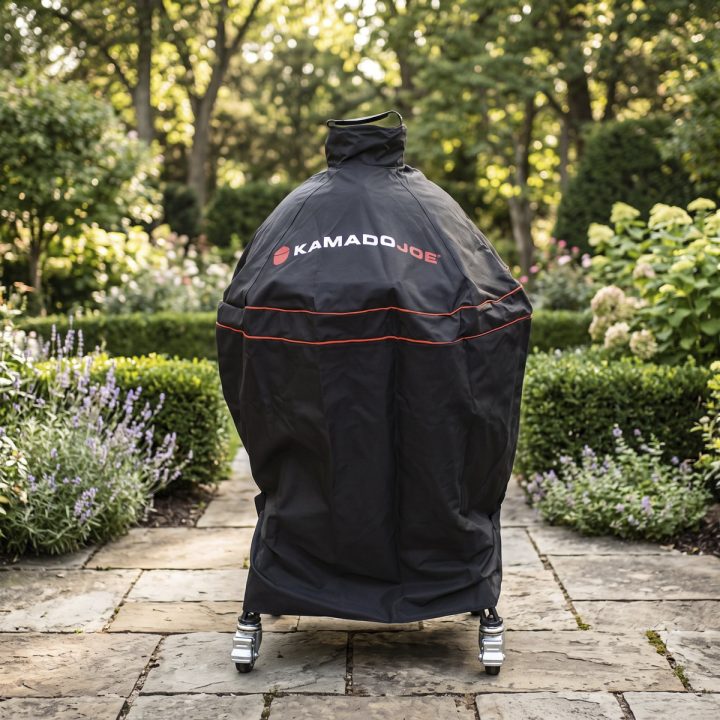
- Kamado Joe Cover
- Kick Ash Basket & Kick Ash Can
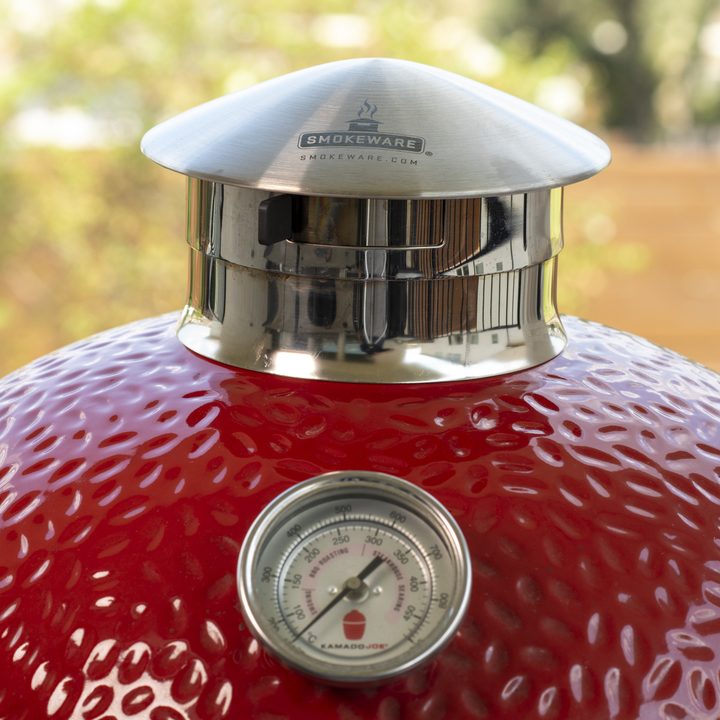
- SMOKEWARE Chimney Cap for Kamado Joe
- FireBoard 2 Drive
- Napoleon 57013 Rotisserie Basket
- Kamado Joe Karbon Steel Griddle for Classic
- Kamado Joe Karbon Steel Griddle for Big Joe
- Kamado Joe Joetisserie
- Kamado Joe Karbon Steel Griddle
- Kamado Joe Classic
- Smithey Ironware 10" Cast-Iron Skillet
- Thermoworks Circle IR Laser
- Kamado Joe Fiberglass Gasket (for Big Joe)
More Kamado Joe Resources
If you found this review helpful, here are a few more resources that will help you get the most out of your Kamado Joe:
- Kamado Joe Owner's Handbook
- The Texas Backyard Kitchen - Complete Meals from Fire to Table
- Kamado Joe 101 Playlist
- How to Control Temperature on a Kamado Joe
- Kamado Joe vs. Big Green Egg: Which Ceramic Grill Would I Buy After Owning Five of Them?
Leave a Reply